
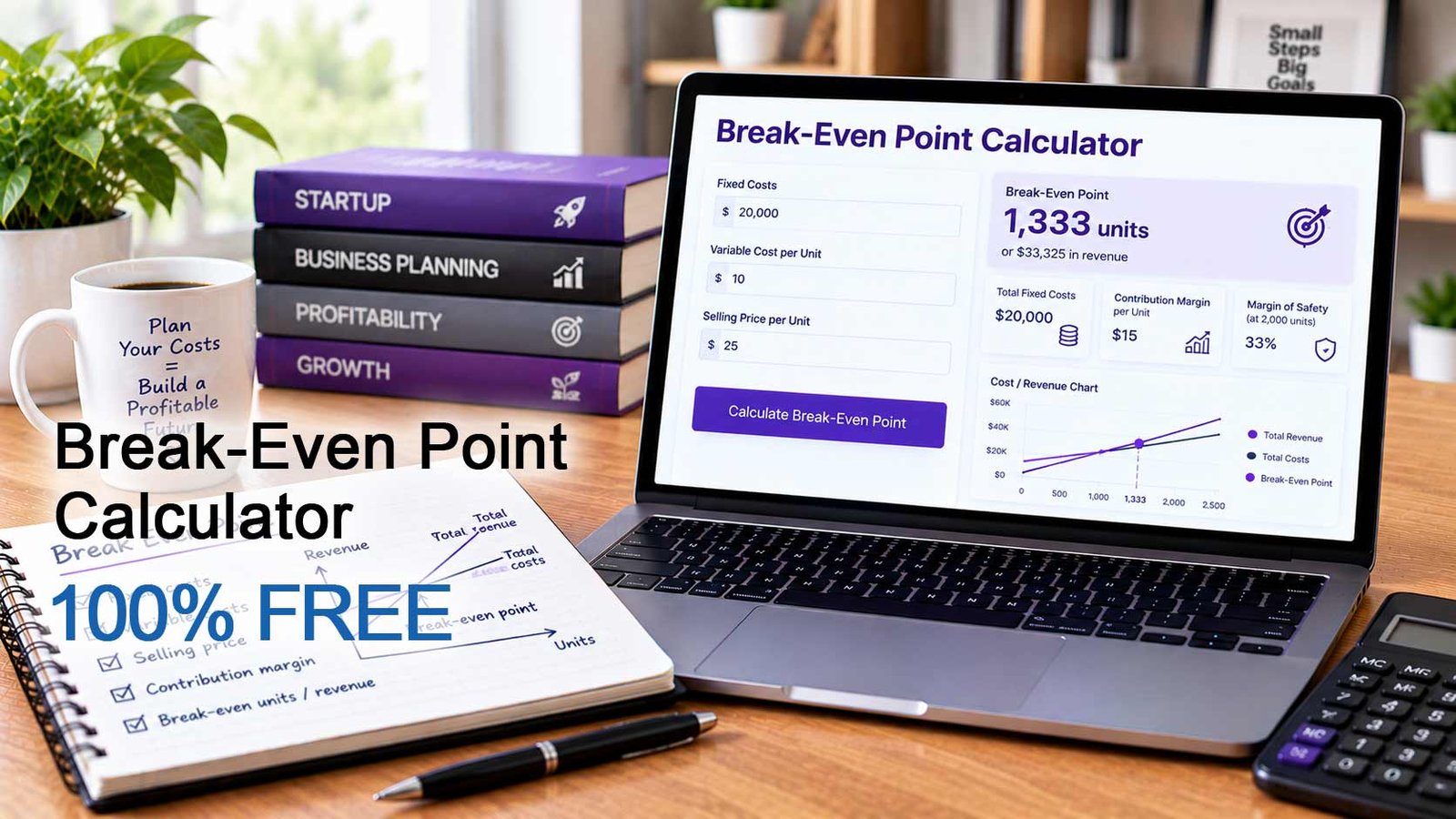
Knowing your break-even point is one of the most important numbers in business. It tells you the exact amount you must sell before you stop losing money and start making a profit. Our free Break-Even Point Calculator does the math for you. Enter your fixed costs, your price and your variable costs, and the tool shows how many product units or service hours you need to sell each month to cover every expense.
What Is a Break-Even Point?
The break-even point is the level of sales at which total revenue equals total costs. Below it, your business operates at a loss. Above it, every additional sale adds to your profit.
To calculate it, you need to separate your costs into two groups:
- Fixed costs stay the same no matter how much you sell. Examples are rent, utilities, salaries, insurance, software subscriptions and loan payments.
- Variable costs rise and fall with every sale. Examples are materials, packaging, shipping, sales commissions and payment processing fees.
The gap between your selling price and your variable cost per sale is called the contribution margin. It is the amount each sale contributes toward paying your fixed costs. Once the fixed costs are covered, the contribution margin becomes profit.
What Does This Break-Even Point Calculator Do?
This Break-Even Point Calculator estimates:
- The number of units or hours you must sell to break even
- The sales revenue you need to reach that point
- Your total monthly fixed costs
- Your estimated profit or loss at your expected sales level
- The sales volume and revenue needed to reach a profit goal you set
- Your margin of safety, which shows how far your expected sales are above break-even
The results update instantly as you change any value, so you can test pricing, cost and sales scenarios in seconds.
Who Is This Calculator For?
The calculator is built for general businesses, so you can use it whatever you sell. It is useful for:
- Small business owners and startup founders planning a launch
- Retailers and online store owners who sell physical products
- Freelancers, consultants and agencies that sell time by the hour
- Restaurants, salons, studios and other local service businesses
- Managers and finance teams preparing budgets or testing price changes
- Students learning cost-volume-profit analysis
How to Use the Break-Even Point Calculator
- Choose what you sell. Select “Products (per unit)” or “Services (per hour)”. All labels and results update to match.
- Set your expected monthly sales with the slider. This is optional, but it is needed for the profit and margin of safety results.
- Enter your monthly fixed costs: rent and utilities, salaries and wages, and other fixed expenses.
- Enter a target monthly profit if you want to know what it takes to reach a specific goal. Leave it at zero to see only the break-even result.
- Enter your selling price, your materials or direct cost, and any other variable cost per unit or hour.
- Use the slider to set the percentage you pay in payment and transaction fees.
- Read your results in the “Estimated results” and “Calculation breakdown” sections.
What Each Input Field Means
What do you sell? Switches the calculator between products sold per unit and services sold per hour.
Expected monthly sales: The number of units or hours you expect to sell in a typical month. It is used to estimate profit and your margin of safety. It does not change the break-even point itself.
Rent and utilities: Your monthly cost for premises, electricity, water, internet and similar recurring expenses.
Salaries and wages: Your monthly payroll for staff paid a fixed amount regardless of sales, including the owner’s salary if you pay yourself one.
Other fixed expenses: Any other monthly cost that does not change with sales, such as insurance, software, accounting, marketing retainers or loan repayments.
Target monthly profit: The profit you want to earn each month. It is optional. When set, the calculator shows what sales are needed to reach it.
Selling price per unit (or hourly rate charged): The amount a customer pays for one unit or one hour of your service.
Materials or direct cost per unit (or hour): The direct cost of producing or delivering one unit or one hour, such as raw materials, supplies or goods purchased for resale.
Other variable cost per unit (or hour): Any other cost that grows with each sale, such as packaging, shipping, sales commission or subcontractor fees.
Payment and transaction fees: The percentage of each sale taken by payment processors or marketplaces. The calculator converts this percentage into a dollar amount for each sale.
How the Calculation Works
The calculator works in a few simple steps. Each formula is shown in plain text so you can check the math or recreate it in a spreadsheet.
Step 1. Total fixed costs
Total Fixed Costs = Rent and Utilities + Salaries and Wages + Other Fixed Expenses
Step 2. Transaction fees per sale
Transaction Fees per Sale = Selling Price multiplied by (Fee Percentage divided by 100)
Step 3. Total variable cost per unit or hour
Total Variable Cost per Unit = Materials or Direct Cost + Other Variable Cost + Transaction Fees per Sale
Step 4. Contribution margin per unit or hour
Contribution Margin per Unit = Selling Price minus Total Variable Cost per Unit
Step 5. Contribution margin ratio
Contribution Margin Ratio = Contribution Margin per Unit divided by Selling Price
Multiply the result by 100 to show it as a percentage.
Step 6. Exact break-even point
Exact Break-Even Point = Total Fixed Costs divided by Contribution Margin per Unit
Step 7. Break-even point shown in the results
Break-Even Point = Exact Break-Even Point rounded up to the next whole number
Rounding up matters because you cannot sell part of a unit or hour, and selling slightly fewer than the exact figure would leave you just short of break-even.
Step 8. Break-even revenue
Break-Even Revenue = Break-Even Point (rounded up) multiplied by Selling Price
Step 9. Total costs at break-even
Total Costs at Break-Even = Total Fixed Costs + (Exact Break-Even Point multiplied by Total Variable Cost per Unit)
Step 10. Sales needed to reach your target profit
Exact Sales for Target Profit = (Total Fixed Costs + Target Monthly Profit) divided by Contribution Margin per Unit
Units or Hours Needed for Target Profit = Exact Sales for Target Profit rounded up to the next whole number
Step 11. Revenue needed to reach your target profit
Revenue for Target Profit = Exact Sales for Target Profit multiplied by Selling Price
Step 12. Profit at your expected sales
Profit at Expected Sales = (Expected Monthly Sales multiplied by Contribution Margin per Unit) minus Total Fixed Costs
A negative result means a loss.
Step 13. Margin of safety
Margin of Safety in Units = Expected Monthly Sales minus Exact Break-Even Point
Margin of Safety Percentage = (Margin of Safety in Units divided by Expected Monthly Sales) multiplied by 100
Example
Imagine a small online shop with these monthly figures:
- Rent and utilities: $2,000
- Salaries and wages: $6,000
- Other fixed expenses: $500
- Selling price: $50 per unit
- Materials: $15 per unit
- Other variable cost: $5 per unit
- Payment fees: 3 percent
- Target monthly profit: $3,000
- Expected monthly sales: 500 units
The calculation runs as follows:
- Total Fixed Costs = 2,000 + 6,000 + 500 = $8,500
- Transaction Fees per Sale = 50 multiplied by 0.03 = $1.50
- Total Variable Cost per Unit = 15 + 5 + 1.50 = $21.50
- Contribution Margin per Unit = 50 minus 21.50 = $28.50
- Contribution Margin Ratio = 28.50 divided by 50 = 57 percent
- Exact Break-Even Point = 8,500 divided by 28.50 = 298.25 units
- Break-Even Point = 299 units
- Break-Even Revenue = 299 multiplied by 50 = $14,950
- Sales for Target Profit = (8,500 + 3,000) divided by 28.50 = 403.51, rounded up to 404 units
- Profit at 500 Units = (500 multiplied by 28.50) minus 8,500 = $5,750
- Margin of Safety = 500 minus 298.25 = 201.75 units, or about 40.4 percent
This shop must sell 299 units each month to cover its costs. At 500 units, it earns about $5,750 and can lose around 40 percent of its expected sales before it stops making a profit.
How to Improve Your Break-Even Point
If the result is higher than you would like, you can lower it in three ways:
- Raise your price. A higher price increases the contribution margin on every sale.
- Reduce variable costs. Negotiate with suppliers, change packaging or lower transaction fees.
- Cut fixed costs. Renegotiate rent, remove unused subscriptions or review staffing levels.
Use the calculator to test each change and see how many fewer units or hours you would need to sell.
Important Notes
- The results are estimates, not a guarantee. They assume that prices and costs stay constant at every sales level.
- If the selling price is lower than the variable cost per sale, break-even cannot be reached, and the calculator shows a warning.
- The tool covers one product or one average hourly rate. If you sell several products, use average values for price and variable cost.
- Taxes, discounts, refunds and changes in cost at higher volumes are not included.

Gabi is the founder and CEO of Adurbs Networks, a digital marketing company he started in 2016 after years of building web projects.
Beginning as a web designer, he quickly expanded into full-spectrum digital marketing, working on email marketing, SEO, social media, PPC, and affiliate marketing.
Known for a practical, no-fluff approach, Gabi is an expert in PPC Advertising and Amazon Sponsored Ads, helping brands refine campaigns, boost ROI, and stay competitive. He’s also managed affiliate programs from both sides, giving him deep insight into performance marketing.