
A task list can help you plan your day. When projects overlap and several people share responsibility for deadlines, you also need a way to see what’s finished, what’s due, and where work is getting held up. Whether you manage several freelance projects or coordinate work across departments, productivity tools can automate routine admin tasks, track project milestones in real time, and make it easier to share updates.
When files, conversations, and deadlines live in separate apps, you can spend time switching between them just to find the latest information. A shared workspace brings documents, tasks, schedules, and team communication together, so everyone can see what needs attention.
Choosing tools that fit how you work helps you spend less time on administration, assign people and resources where they’re needed, and keep your most important projects on track from planning through delivery.
The Complete List of 30 Productivity Tools
Below, we have rounded up 30 of the top productivity tools, ranging from versatile task managers and visual knowledge bases to automated collaboration suites, plus a quick breakdown of how to pick the right one for your daily routine.
Essential Productivity Tools for Teams and Individuals
- 1. Trello – Visual task management tool utilizing intuitive boards, lists, and cards to track projects and organize workflows.
- 2. Monday.com – Customizable work operating system designed to build custom workflows, track progress, and manage team projects seamlessly.
- 3. NinjaOne – Unified endpoint management and IT automation platform that helps IT teams monitor, manage, and remediate network endpoints.
- 4. Todoist – Streamlined task manager and to-do list application for organizing daily assignments, priorities, and personal projects.
- 5. Google Calendar – Time management and scheduling service that coordinates appointments, meetings, and shared team events.
- 6. Notion – All-in-one workspace for note-taking, document collaboration, project management, and building customized databases.
- 7. Asana – Project management platform built to help teams organize, track, and manage their daily work and long-term initiatives.
- 8. ClickUp – Feature-rich productivity platform combining tasks, docs, spreadsheets, and goal tracking into a single customizable hub.
- 9. Jira – Issue tracking and project management tool tailored for software development teams to plan, track, and release products.
- 10. Airtable – Flexible relational database platform blending the power of a database with the familiarity of a spreadsheet interface.
- 11. Evernote – Digital note-taking application designed for capturing ideas, web clippings, and managing searchable reference archives.
- 12. Microsoft To Do – Cloud-based task management application that helps users stay organized and manage day-to-day lists across devices.
- 13. Any.do – Comprehensive daily planner and task list app featuring calendar integration, daily planner views, and reminders.
- 14. Basecamp – Project management and team communication tool that keeps messages, files, and tasks centralized in one place.
- 15. Slack – Channel-based messaging platform enabling real-time team communication, file sharing, and workflow integrations.

More Productivity Tools to Try
- 16. Microsoft Teams – Collaboration hub combining workplace chat, video meetings, file storage, and application integration.
- 17. Coda – Connected document platform that blends words, tables, and interactive applications to build custom team workflows.
- 18. Wrike – Enterprise-grade project management software offering robust resource planning, customizable workflows, and real-time visibility.
- 19. Smartsheet – Powerful execution platform designed for managing projects, automating workflows, and scaling collaborative work processes.
- 20. Clockify – Free time tracking software and timesheet app that monitors working hours across multiple projects and tasks.
- 21. RescueTime – Automatic time management tool that tracks digital habits and provides insights to improve daily focus.
- 22. Loop – Flexible co-authoring application that brings teams, content, and tasks together across Microsoft 365 services.
- 23. Zoho Projects – Online project management software offering task automation, milestone tracking, and detailed team collaboration features.
- 24. TickTick – Robust task manager featuring built-in time blocking, habit tracking, and comprehensive calendar views.
- 25. Milanote – Visual board tool tailored for creatives to organize research, mood boards, and project notes in a flexible canvas.
- 26. Obsidian – Powerful knowledge base application that works on local Markdown files to build interconnected personal notes.
- 27. Logseq – Privacy-first, open-source knowledge management platform designed for note-taking, PDF annotation, and task tracking.
- 28. Fibery – Customizable work hub that adapts to your team’s unique processes for product management, user research, and execution.
- 29. Superhuman – High-performance, lightning-fast email client designed to help professionals manage their inboxes with extreme efficiency.
- 30. Twos – Minimalist productivity app designed to help you remember things, track daily notes, and organize life’s information.
Leveraging this comprehensive collection of productivity solutions can fundamentally transform how you approach daily tasks and long-term goals. By carefully evaluating your team’s workflow requirements and integrating the right combination of these applications, you can eliminate administrative inefficiencies and foster a more organized, collaborative work environment.
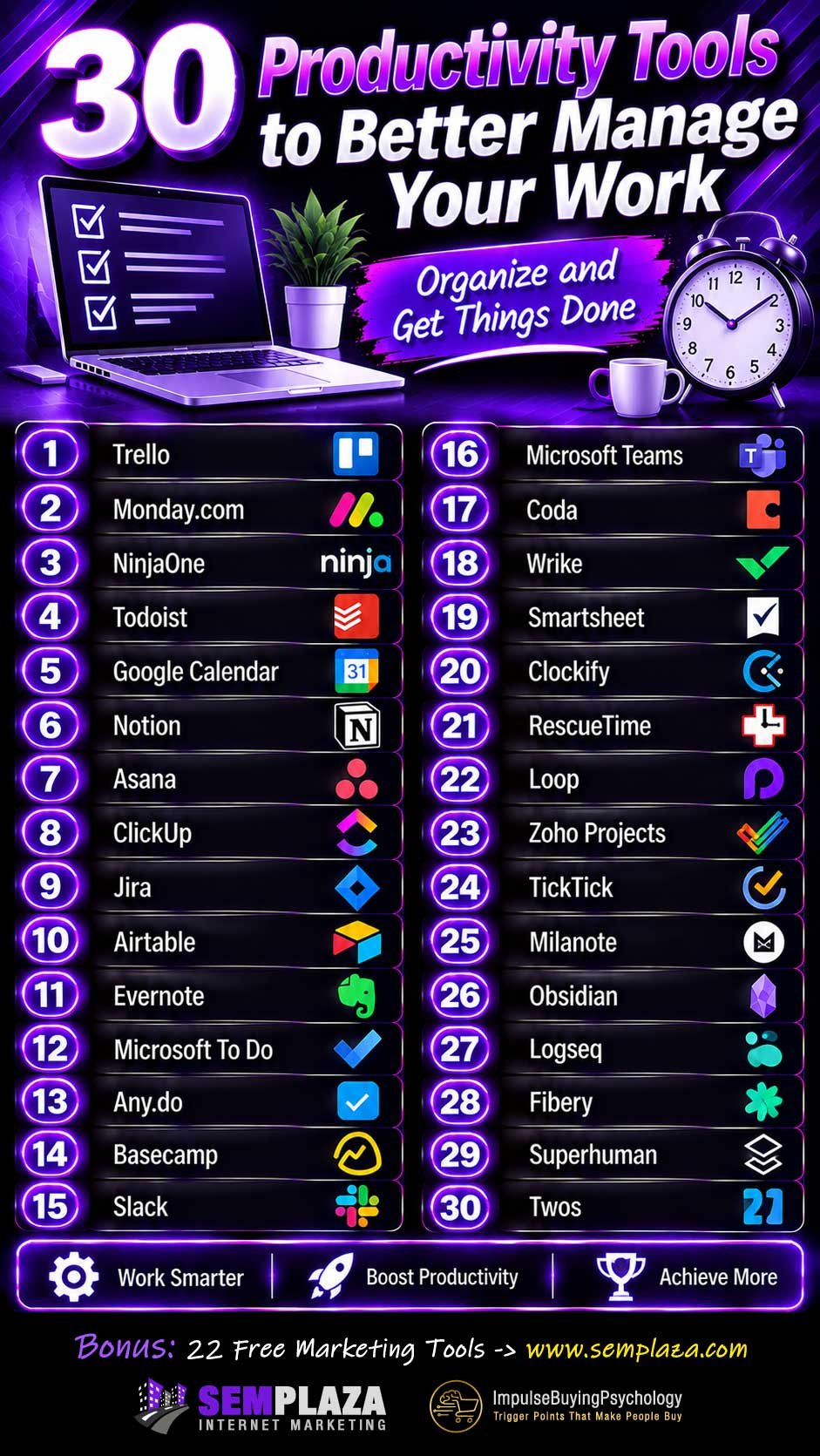
Share this infographic on your site:

Gabi is the founder and CEO of Adurbs Networks, a digital marketing company he started in 2016 after years of building web projects.
Beginning as a web designer, he quickly expanded into full-spectrum digital marketing, working on email marketing, SEO, social media, PPC, and affiliate marketing.
Known for a practical, no-fluff approach, Gabi is an expert in PPC Advertising and Amazon Sponsored Ads, helping brands refine campaigns, boost ROI, and stay competitive. He’s also managed affiliate programs from both sides, giving him deep insight into performance marketing.